
Contents
Use HeadJS
* This one works for me.
* Reference: http://headjs.com/
Example
<script src="js/head.js"></script>
<script>
head.js(
  "js/common.js",
  "js/main.js");
head.ready(function(){
	findAll();
});
</script>
Use LABjs
* Reference: https://github.com/getify/LABjs
Example
    <script src="js/LAB.min.js"></script>
    <script type="text/javascript">
        jQuery(document).ready(function() {
        $LAB
        .script("js/common.js").wait()
        .script("js/main.js").wait(function(){
            SetupPage();
        });
      });
    </script>
Use RequireJS
* Reference: RequireJS Home
Example
* Download require.js from here
* Place require.js in js sub-directory
* Create a test.js file. This is the entry JavaScript file:
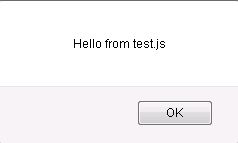
alert("Hello from test.js");
require(["common"], function(common) {
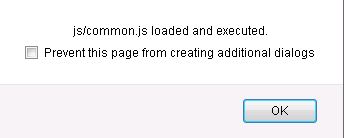
   alert("js/common.js loaded and executed.");

   // Here you can use anything you defined in the loaded script
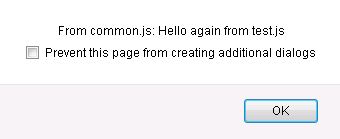
   testAlert("Hello again from test.js");
});
* Create a common.js file which is to be included in test.js:
function testAlert(msg) {
    alert("From common.js: " + msg);
}
* Use test.js in test.html page:
<!DOCTYPE html>
<html>
    <head>
        <title>My Sample Project</title>
        <!-- data-main attribute tells require.js to load
             scripts/main.js after require.js loads. -->
        <script data-main="js/test" src="js/require.js"></script>
    </head>
    <body>
        <h1>My Sample Project</h1>
    </body>
</html>
* Test by pointing to test.html page
Use jQuery .getScript
Example
* To be included JavaScript file (js/common.js):
function testAlert(msg) {
    alert("From common.js: " + msg);
}
* Primary JavaScript file (js/test.js):
alert("Hello from test.js");
$.getScript("js/common.js", function(){

   alert("js/common.js has been loaded.");

   testAlert("Hello again from test.js");
});
* In HTML page: (test.html)
<head>
    <script src="js/test.js" type="text/javascript"></script>
</head>
* Test by pointing browser to test.html page:
References
* How to include a JavaScript file in another JavaScript file?
* Essential JavaScript: the top five script loaders